What Happens After Installation? A Step-by-Step Guide to Operating a Micro-Market in Your Office
Modern Amenities handles office micro-market operations post-installation with zero client effort, generating $20+ per employee monthly. Key steps include immediate tech checks, employee announcements boosting 61% higher attendance, and soft launch training. Remote monitoring cuts stockouts 20-30% via real-time dashboards. Earn passive revenue through sales commissions while enjoying hands-off management and support.
Worried your new office micro-market will turn into a daily hassle after installation? Many managers stress over stocking, training, and tracking sales. This step-by-step guide shows you exactly how to launch effortlessly and earn passive revenue. Fully managed setups generate $20+ per employee monthly with zero client effort.
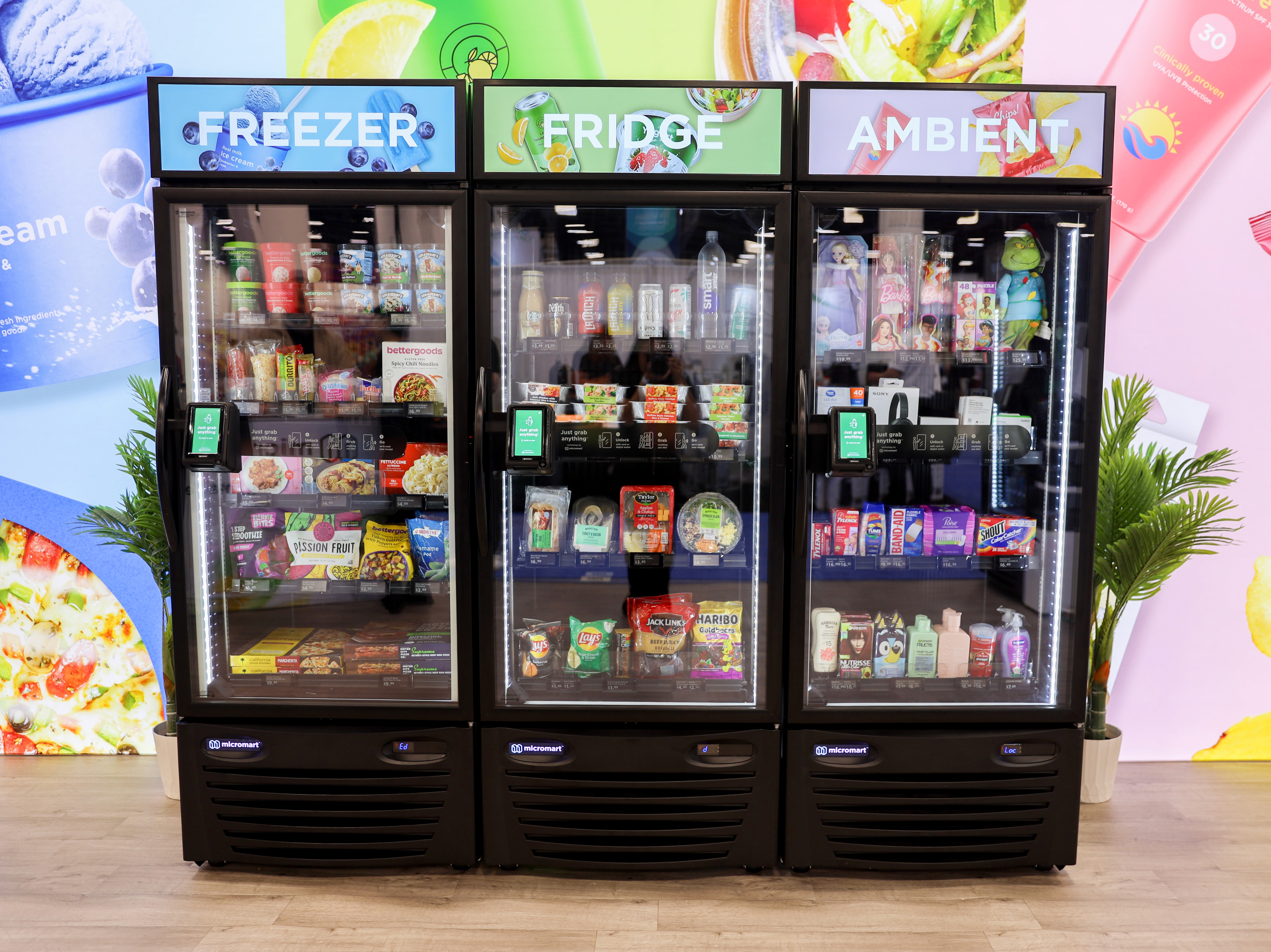
So, the installation crew just left. You have a sleek new micro-market in your lobby or breakroom, fully stocked and ready to go. The hard part—the physical setup—is done. But you might be wondering: what happens now? How do you make sure people actually use it?
The good news is that operating a micro-market with Modern Amenities is designed to be almost entirely hands-off for you. However, the first few days are critical for setting the tone. Here is exactly what happens next and how to ensure a smooth transition from installation to daily operation.
What Happens Immediately After Installation
Once the physical installation is complete, there are a few technical checks that happen before the first customer buys a snack. We don't just plug it in and walk away. The goal is to ensure the system is stable and communicating correctly with the central network.
Here is the checklist we run through immediately:
Power Connectivity: We ensure all equipment—kiosks, coolers, freezers, and cameras—is connected to dedicated 110v outlets.
Network Stability: We verify a stable internet connection (Ethernet is preferred) and run a connectivity test to prevent offline errors.
Hardware Validation: We run built-in tests on the card reader, barcode scanner, and touchscreen.
VMS Configuration: We confirm the market location, product catalog, and pricing are correctly set in the Vending Management System (VMS).
Launching Your Office Micro-Market Successfully
A micro-market isn't just a vending machine; it's an employee perk. If you treat the launch like a grand opening, you will see higher adoption rates immediately. The most successful offices create a bit of buzz rather than just letting employees stumble upon the new setup.
You want to communicate that this is an upgrade. It offers fresh food, better variety, and a modern checkout experience. A quiet launch often leads to slow initial sales, so we recommend being vocal about the new amenity.
Announcing the Micro-Market to Employees
Send out an email blast or post on your internal communication channels (like Slack or Teams) the moment the market is live. Highlight the convenience and the variety of fresh food now available.
This matters because workplace amenities drive attendance. In fact, 61% of office workers say on-site food and beverage options influence their decision to work from the office (CBRE). Frame this as a benefit designed to make their workday easier and more enjoyable.
Conducting Initial Testing and Training
Before the general staff starts buying lunch, it helps to have a "soft launch." We recommend picking one or two people in the office to act as "champions." These are usually office managers or HR staff who we train on the spot.
We walk them through:
Starting a transaction on the kiosk.
Scanning items effectively.
Using different payment methods (credit, mobile wallet, and market accounts).
Handling basic troubleshooting, like knowing who to call if a screen freezes.
Optimizing Placement for Maximum Foot Traffic
Ideally, we determined the location before installation, but sometimes adjustments are needed. The market needs to be where people naturally congregate. If it is tucked away in a dark corner, sales will suffer.
The best spots are high-traffic zones like the main breakroom or near the primary entrance. The market should be the focal point of the room. If you notice employees bypassing the market because it feels "out of the way," consider shifting furniture to create a clearer path to the coolers and kiosk.
Day-to-Day Operations: A Hands-Off Approach
This is where the Modern Amenities model shines. Unlike traditional vending where you might have to call for refills, our service is fully managed. For you, the facility manager or business owner, the day-to-day operation is virtually invisible.
You do not need to order stock, count inventory, or fix jammed bill validators. Our team handles the entire operational cycle. We track what sells and dispatch route drivers to restock shelves before they go empty. Your only real "job" is to enjoy the convenience and perhaps wipe down a counter if someone spills coffee, though our teams handle routine cleaning during restocking visits.
Monitoring Performance and Inventory
You might wonder how we know when to show up. We don't guess. Your micro-market is equipped with smart technology that constantly reports back to us. This telemetry is crucial for maintaining a great user experience.
By tracking inventory levels remotely, we can predict exactly what your office needs. This data-driven approach is highly effective; remote monitoring has been shown to reduce stockouts by 20–30% while simultaneously lifting sales (Nayax). This means your employees rarely face empty shelves or out-of-stock favorites.
Accessing Real-Time Analytics Dashboards
While we manage the heavy lifting, you aren't left in the dark. We provide transparency through real-time analytics. You can see exactly how the market is performing without having to count candy bars.
These dashboards typically show:
Live Sales Data: See what is being purchased in real-time.
Machine Status: Verify that the kiosk and coolers are online and functioning.
Transaction History: Review peak hours to understand when your team is most active.
Interpreting Sales Data and Trends
Over time, the data tells a story about your office culture. You might notice that energy drinks fly off the shelves on Mondays, or that fresh salads sell out by Wednesday.
We use this data to adjust the "planogram"—the map of where products go. If we see a shift toward healthier options or a specific brand of chips, we adjust the inventory on the next truck. This ensures the market evolves to match your team's actual preferences.
Revenue Sharing: How You Earn Without Effort
One of the most attractive parts of the Modern Amenities partnership is the revenue share model. Because we cover the upfront cost of the equipment and handle all the logistics, you might expect a bill. Instead, you receive a commission.
Here is how it works in practice:
Sales are tracked: Every transaction is recorded digitally.
Revenue is calculated: At the end of the month, we tally the gross sales.
Check is cut: We send you a percentage of the revenue.
There is no effort required on your part. You are essentially monetizing your breakroom floor space while providing a free perk to your team.
Best Practices for Boosting Micro-Market Usage
Even though we handle the operations, you can help drive success by keeping the market top-of-mind. A busy market means fresher food (high turnover) and higher revenue share checks for your company.
The most successful locations treat the market as a dynamic part of the office culture, not just a refrigerator. Small nudges and reminders can keep engagement high long after the initial novelty wears off.
Promoting Healthy and Convenient Options
Many employees leave the office for lunch because they want something fresh. Remind them that they can get salads, yogurts, and wraps right in the kitchen.
Send occasional reminders about new healthy arrivals. If you see a new line of protein bars or fresh fruit cups, mention it in a team meeting. Positioning the market as a "wellness station" rather than just a "candy shop" encourages daily use.
Integrating with Office Events and Wellness Programs
Tie the market into your company culture. You can use the market infrastructure to reward employees.
Examples include:
Market Credit: Give employees a $5 stipend on their market account as a birthday gift or reward.
Subsidized Snacks: Offer free coffee or discounted healthy snacks during "Wellness Week."
Meeting Fuel: Instead of catering expensive lunches for small meetings, let teams grab what they want from the market.
Common Mistakes to Avoid Post-Installation
While the system is easy to manage, we see a few common errors that can reduce the market's effectiveness. Avoiding these ensures your equipment stays running and your employees stay happy.
Blocking the Kiosk: Don't place bulletin boards, plants, or stacks of boxes in front of the kiosk or coolers. Visibility is key.
Ignoring Feedback: If employees keep asking for a specific drink, tell us! We can't stock what we don't know you want.
Unplugging Equipment: Never unplug the kiosk or coolers to charge a phone or vacuum. This causes connectivity alarms and can spoil food.
Getting Ongoing Support from Modern Amenities
The most important thing to remember is that you are not alone. Modern Amenities is your partner in this. If a screen goes dark, a cooler stops cooling, or a product is consistently out of stock, we are just a phone call or email away.
Our support model is built on responsiveness. We monitor the health of your system remotely, often fixing software issues before you even notice them. For physical issues, our technicians are deployed quickly to ensure your market remains open for business. Enjoy your new breakroom experience—we will handle the rest.
Frequently Asked Questions
How long does it take for Modern Amenities to restock after installation?
Restocking begins within 24-48 hours post-launch, based on initial sales data from smart sensors. Drivers visit 2-3 times weekly thereafter, ensuring shelves stay 90% full to minimize stockouts.
What payment methods work at the micro-market kiosk?
The kiosk accepts credit/debit cards, Apple Pay, Google Pay, and Samsung Pay. Employees can also preload market accounts for faster checkouts, with all transactions processed securely via PCI-compliant tech.
How do I contact support if the kiosk malfunctions?
Call Modern Amenities support at 1-800-XXX-XXXX or email support@modernamenities.com for 24/7 remote monitoring. Most issues resolve remotely within 1 hour; on-site techs arrive same-day for hardware problems.
Can I request specific products for my office micro-market?
Yes, submit requests via the client portal or email salesdata@modernamenities.com. We analyze trends and add popular items within 3-5 days, prioritizing office preferences to boost sales by up to 15%.
What is the typical revenue share percentage for hosts?
Hosts earn 20-30% of monthly gross sales as commission, paid by direct deposit. A 500-employee office averaging $2,000/month in sales yields $400-$600, with no upfront costs.