How to Choose the Right Micro-Market for Your Office: Space, Setup & Cost Guide
A guide to office micro-market space needs, setup options, and costs, including revenue-sharing and how to pick the right provider.
What Is a Micro-Market?
Office micro-markets provide self-service fresh food via open shelves and kiosks, needing minimal 100 sq ft space, standard power, and internet. Fully managed setups cost hosts nothing upfront, with installation in weeks and up to $18 per employee monthly revenue share. They boost productivity by cutting lunch breaks and enhancing satisfaction.
Struggling to feed your Eugene office team without wasting space, time, or budget on outdated vending or pricey cafeterias? Employees bolting for lunch breaks tanks productivity and retention. This guide walks you through choosing the right micro-market with exact space requirements, setup options, and cost breakdowns, proven to deliver up to $18 per employee monthly in revenue sharing.
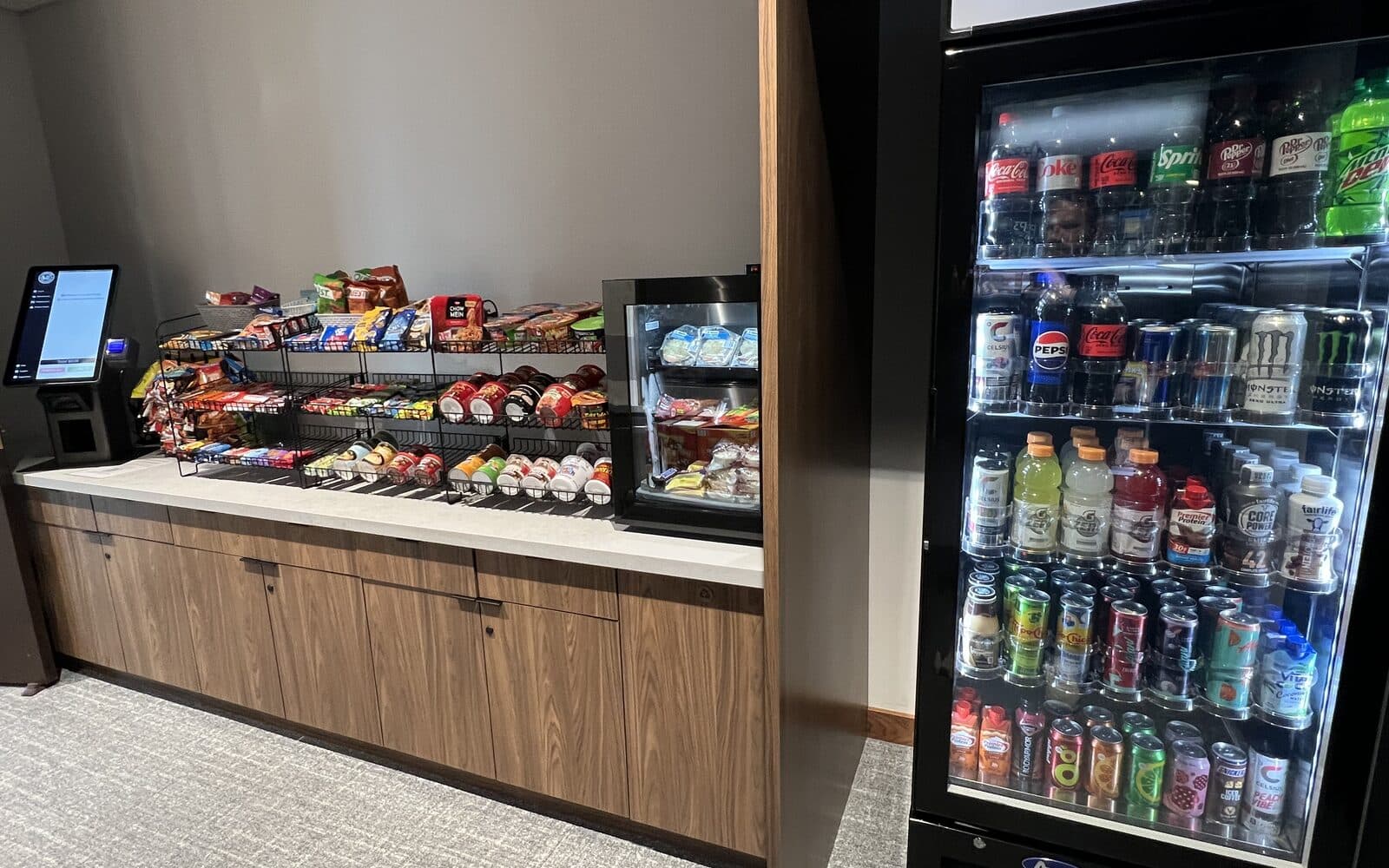
A micro-market is essentially a self-service convenience store located right inside your office. Unlike traditional vending machines that lock products behind glass and coils, micro-markets use open shelves, coolers, and freezers. This allows employees to pick up products, read nutritional labels, and browse before buying.
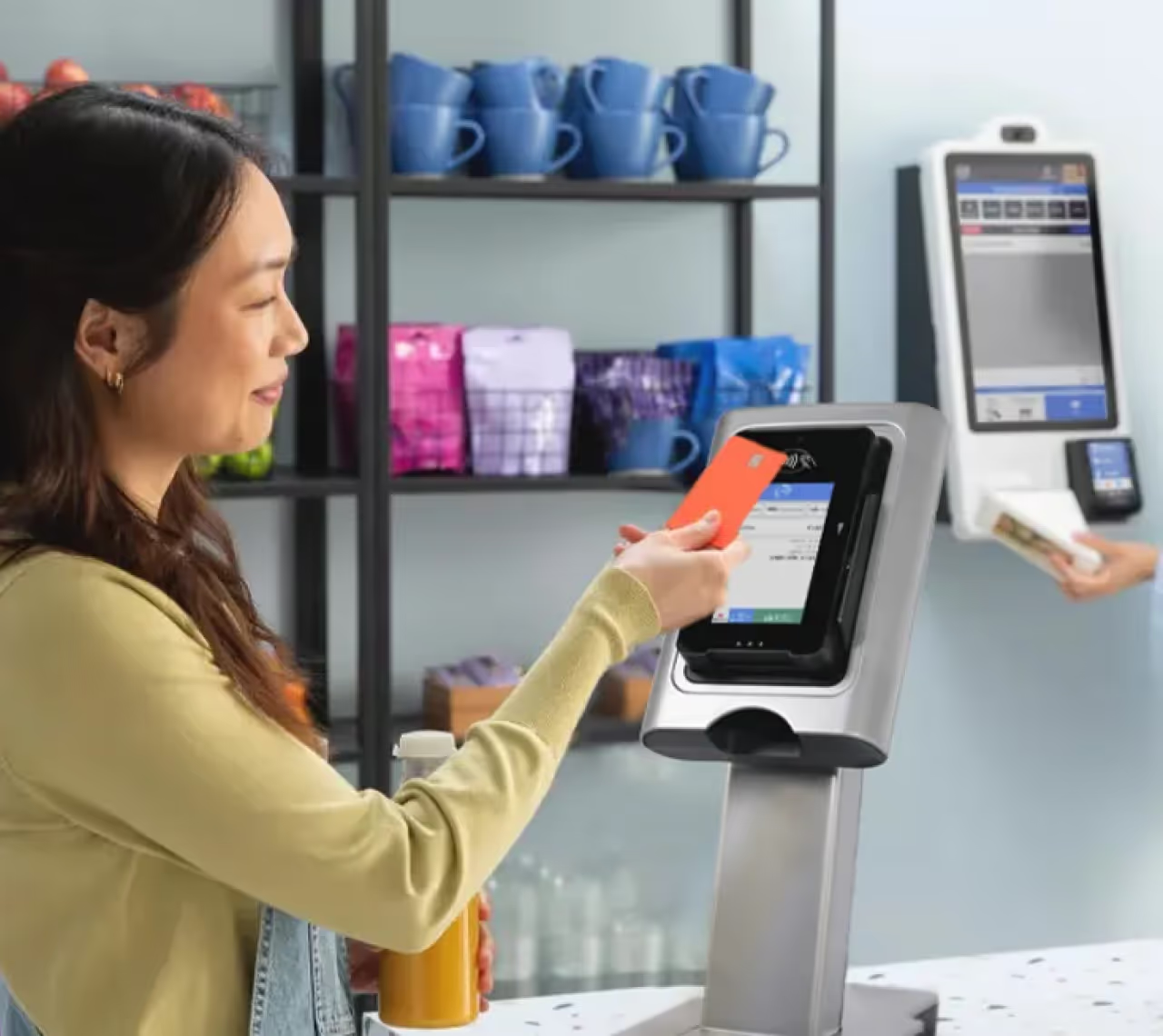
The core of the system is a self-checkout kiosk. Employees scan their items and pay using a card, phone, or market account. It transforms a standard breakroom into a modern retail space. According to industry definitions, these are unmanned retail spaces designed specifically for secure, cashless transactions.
Why Your Office Needs a Micro-Market
The main reason companies switch to micro-markets is employee retention and satisfaction. When you offer fresh food and premium drinks on-site, staff members don't have to rush out for lunch or settle for stale vending machine snacks. This simple change supports wellness goals by providing healthier options that traditional machines just can't handle.
Here are the key benefits for your workplace:
- Improved employee satisfaction through better food variety
- Support for wellness programs with fresh, healthy options
- Reduced time spent leaving the office for food runs
- Use as a social hub to strengthen workplace culture
Step 1: Evaluate Your Office Space Requirements
Before you commit to a micro-market, you need to check if your building can support it. The good news is that the requirements are usually minimal. You don't need a massive cafeteria space to make this work. The primary requirement for a host location is simply providing a designated area with standard electrical power and a reliable internet connection.
Most providers will conduct a site survey to confirm these utilities are available. If you have a breakroom with an outlet and a way to connect a kiosk to the web, you are likely ready to go.
Minimum Space Needed
You might think you need a sprawling room, but that is not the case. Micro-markets are highly flexible and scale down easily. They can be configured to transform smaller spaces like compact breakrooms, lobbies, or even wide hallways (365 Retail Markets).
Operators can install a "nano" market with just a single cooler and a small snack rack if space is tight. The goal is to fit the amenities to your specific square footage.
Optimal Layouts and Locations
The best location for your market is where people naturally gather. You want high visibility and easy access. Placing the market in a back corner or a rarely used meeting room defeats the purpose.
Ideally, you should install these in communal spaces like the main breakroom or central office common areas. This ensures employees see the fresh food options when they get their morning coffee or take a midday stretch.
Traffic Flow and Accessibility
A successful market functions as a social anchor. It shouldn't just be a place to buy a soda; it should be a destination that brings people together. When planning the layout, ensure there is enough room for people to browse the shelves without blocking the walkway for others.
If you design the flow correctly, the market becomes a natural gathering point where teams from different departments can interact.
Step 2: Understand Setup Options
Once you have identified the space, you need to decide how the market will be run. This is the most critical decision in the process. You generally have two paths: doing it yourself or hiring a fully managed service.
Most offices choose a partner to handle the heavy lifting. In this arrangement, the operators handle installation, restocking, and maintenance, while the client simply provides the space and utilities. This lets you focus on your business while the operator keeps the shelves full.
Self-Managed vs. Fully Managed Solutions
In a self-managed model, you buy the equipment and stock the food yourself. This is rarely a good idea for busy offices because it creates a new job for your office manager.
A fully managed model is superior for most companies. It covers installation, inventory management, and ongoing maintenance. With a provider like Modern Amenities, the service is hands-off for you.
Essential Equipment and Technology
The technology behind a micro-market is what makes it secure and easy to use. You don't need to buy this gear; the operator usually provides it. The setup relies on data to keep popular items in stock.
Key components include:
- Self-checkout kiosks for fast payment
- Cashless payment processing (credit cards, mobile pay)
- Surveillance cameras for security
- Automated inventory tracking
- Real-time sales reporting
Installation Timeline
The speed of installation depends on the complexity of your design, but it is generally fast. Since you are not building a kitchen, there is no heavy construction involved.
Local operators typically handle the entire setup, including shelving assembly, cooler placement, and technology integration. From the moment you sign an agreement, you could have a fully functional market running within a few weeks.
Step 3: Break Down the Costs
Many business owners assume a micro-market is a luxury expense, but the financial model is actually very favorable for the host company. Unlike a full-service cafeteria that requires staffing, kitchen equipment, and subsidies, a micro-market is lean.
Because they are unmanned and automated, operating costs are low. In fact, these markets are often more cost-effective than cafeterias due to their smaller footprint and lower overhead. You get the perks of on-site food without the massive budget line item.
Upfront Investment Myths
There is a common misconception that the office must pay for the coolers, kiosks, and cameras. In most cases, this is false.
Micro-markets cost very little for the location to install because operators often absorb the setup and technology costs (Avanti Markets). Providers like Modern Amenities make their money on the sales of food and drinks, not by charging you for the equipment.
Ongoing Fees and Revenue Sharing
Since the operator makes money from sales, they are motivated to keep the market stocked with items your employees actually want. This creates a win-win scenario.
Some agreements even include a revenue share, where a percentage of the sales goes back to the office to fund employee events or charity initiatives. You should look for a model where the operator takes the financial risk, not you.
ROI Projections for Offices
While you might not see direct cash profit unless you have a revenue share, the Return on Investment (ROI) comes from productivity.
When an employee can grab a healthy lunch in 5 minutes instead of driving 20 minutes to a fast-food joint, you gain working hours. Additionally, offering free or subsidized coffee and snacks through the market is a powerful retention tool that costs less than recruiting new staff.
How Micro-Markets Work in Offices
The daily operation of a micro-market is simple and user-friendly. It is designed to be intuitive so that no training is required for your staff.
Here is how it works in practice:
- Browse: An employee walks up to the open shelves or coolers and picks out a salad, snack, or drink.
- Scan: They bring the items to the self-checkout kiosk and scan the barcodes.
- Pay: They pay using a credit card, employee badge, or a mobile app.
- Enjoy: They grab their receipt (digital or print) and head back to work.
Behind the scenes, the kiosk sends sales data to the operator. This tells them exactly what was sold so they know what to restock the next morning. It eliminates the guessing game and ensures your favorite chips are always available.
Best Practices for Selecting the Right Provider
Choosing the right partner is more important than the equipment itself. You want a provider who views this as a service, not just a product delivery.
Look for these qualities:
- Fresh Food Focus: Ensure they have a reliable supply chain for fresh sandwiches, salads, and fruit. Packaged snacks are easy; fresh food is where quality providers shine.
- Responsive Service: Ask about their service level agreement. If a cooler breaks or the internet goes down, how fast will they fix it?
- Customization: Can they stock local brands or specific dietary options (gluten-free, vegan)?
- Technology: Do they use modern, reliable kiosks that accept mobile payments? Old tech leads to frustration.
A good provider will ask you what your employees like to eat before they ever stock a shelf.
Common Mistakes When Choosing a Micro-Market
Even with the best intentions, offices can mess up the implementation. Avoiding these pitfalls ensures your market is a hit rather than an empty room.
Avoid these errors:
- Hidden Locations: Do not put the market in a basement or a room behind a closed door. If people can't see it, they won't use it.
- Ignoring Dietary Needs: If half your office is on a keto diet and you only stock sugary snacks, sales will tank. Survey your team first.
- Poor Internet Connection: The kiosk needs a stable connection to process payments. Relying on spotty Wi-Fi causes transaction failures and frustrated staff.
- Overcomplicating the Space: You don't need lounge furniture inside the market area if space is tight. Focus on flow and product variety first.
Next Steps: Partnering with Modern Amenities
If you are ready to upgrade your office breakroom, the process is straightforward. A micro-market offers the convenience of a cafeteria with the ease of a vending machine, all with zero upfront cost to you.
Modern Amenities specializes in fully managed solutions. We handle the design, installation, restocking, and technology. You simply provide the space and power, and we take care of the rest. Our revenue-sharing model ensures our interests are aligned—we only succeed when your employees are happy and well-fed.
Don't settle for stale chips and broken vending machines. Contact us today to schedule a site survey and see how a smart market can fit into your workspace.
Frequently Asked Questions
How long does it take to install a micro-market after signing with a provider?
Installation typically takes 2-4 weeks from agreement signing, including site survey, shelving assembly, cooler placement, and kiosk setup. No construction is needed, allowing quick rollout.
What types of food and drinks are usually stocked in office micro-markets?
Stock includes fresh salads, sandwiches, yogurt parfaits, fruit cups, protein bars, energy drinks, coffee, and snacks like nuts or chips. Providers customize for dietary needs such as vegan, gluten-free, or keto options.
How do micro-markets prevent theft without staff on site?
Security features include HD surveillance cameras monitoring the area, unique product tags that trigger alerts if not scanned, and AI-powered loss prevention software that flags suspicious behavior in real-time.
Can small offices with under 50 employees support a micro-market?
Yes, nano micro-markets fit spaces as small as 50-100 square feet, using one cooler, compact shelving, and a single kiosk. They scale perfectly for small teams while delivering full benefits.
What payment methods work at micro-market kiosks?
Kiosks accept credit/debit cards, Apple Pay, Google Pay, employee badges with pre-loaded accounts, and mobile apps. All transactions are cashless, secure, and process in under 30 seconds.